
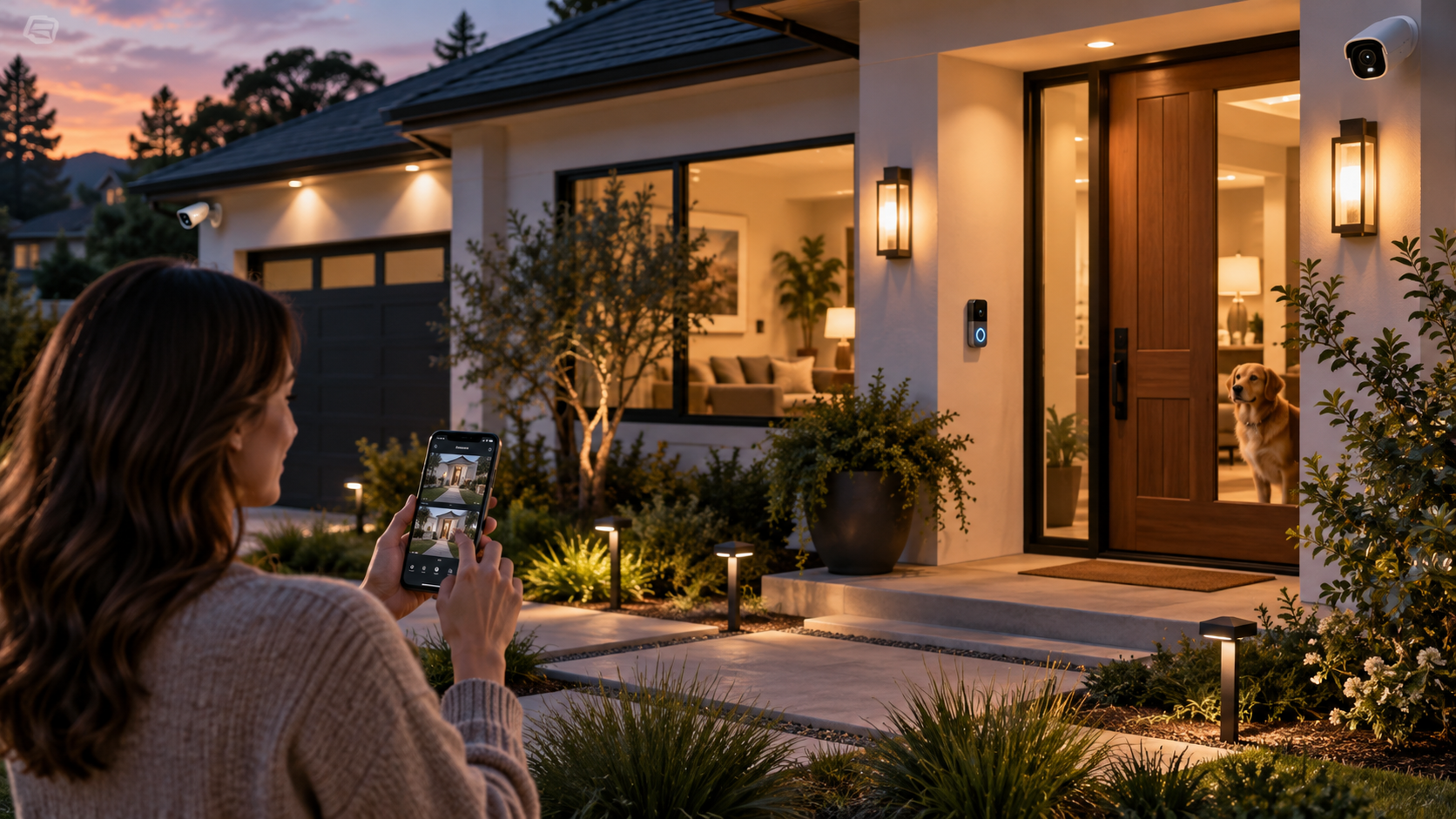
Home security used to be pretty straightforward. A keypad near the front door, a loud alarm, a few window sensors, and maybe a sign planted in the yard.
Now? It is a whole different story.
Modern security systems for home can include video doorbells, indoor and outdoor cameras, glass-break sensors, smart locks, motion detectors, flood sensors, garage controls, smoke alarms, mobile apps, and professional monitoring. Some systems even let you check everything from another state while standing in line for coffee.
Useful? Absolutely.
But more technology does not automatically mean better security.
A house packed with twelve cameras but weak passwords is not exactly a brilliant setup. Neither is an expensive monitored alarm that nobody remembers to arm.
The better approach is much simpler: understand what you are actually protecting, cover the vulnerable areas, build in a little backup, and pick technology your household will really use.
Here is how to think about home security in the United States in 2026 without turning your house into a control room.
Start With Your House, Not the Equipment
It is tempting to begin by comparing cameras, apps, and monthly plans.
Start with the property instead.
Walk around your home during the day and again after dark. Look at it the way a visitor would. Which doors are easy to reach? Are there ground-floor windows hidden behind landscaping? Is the backyard gate always unlocked? Can someone approach the garage without being seen from inside?
A downtown apartment, suburban two-story home, and rural property have very different security needs.
Before buying anything, think about:
- Front, back, and side entrances
- Ground-floor and basement windows
- Attached garage access
- Detached garages, sheds, and workshops
- Dark areas around the property
- Packages left near the front door
- Children or pets regularly entering and leaving
- Older family members who may need simple controls
- Whether you travel frequently
- Internet and cellular reliability in your area
This little walk-around often tells you more than an hour spent scrolling through security products.
What Is Included in a Modern Home Security System?
There is no single standard package anymore.
A basic system may contain only a hub, keypad, door sensors, and motion detector. A more complete setup can connect almost every important entry point and provide video verification, remote access, environmental alerts, and professional monitoring.
| Security Component | Main Job | Common Location |
|---|---|---|
| Door sensor | Detects when a door opens | Exterior doors |
| Window sensor | Detects opening of a window | Ground-level windows |
| Motion detector | Detects movement inside an area | Hallways, living spaces, entry zones |
| Glass-break sensor | Listens for sounds associated with breaking glass | Rooms with large windows or sliding doors |
| Video doorbell | Shows and records activity near an entrance | Front or side door |
| Outdoor camera | Provides video coverage outside | Driveway, backyard, entrances |
| Indoor camera | Provides video monitoring inside | Entry areas or common rooms |
| Smart lock | Controls and tracks door access | Main entrance |
| Siren | Creates an audible alarm | Central area of the home |
| Environmental sensor | Detects issues such as water leaks or temperature changes | Basement, laundry area, mechanical room |
You probably do not need every item in that table.
A well-planned six-device setup can be more useful than a random collection of twenty smart gadgets.
DIY or Professionally Installed?
This is one of the first big decisions.
DIY systems have become popular because many sensors are wireless and designed for straightforward installation. You mount the equipment, connect it through an app, and configure the system yourself.
Professional installation takes more of that work off your plate. A technician can suggest equipment placement, install wired or wireless components, test coverage, and explain how everything works.
Neither approach is automatically better.
DIY tends to make sense for renters, smaller homes, budget-conscious households, or people who are comfortable setting up connected devices.
Professional installation can be attractive for larger properties, more complicated layouts, hardwired systems, or homeowners who simply do not want to spend Saturday afternoon pairing sensors with a hub.
Self-Monitoring vs. Professional Monitoring
Installation and monitoring are separate decisions.
A self-monitored system sends alerts to you. Your phone buzzes, you check the camera or app, and you decide what to do next.
Professional monitoring adds a monitoring center that can receive qualifying alarm signals and follow the provider’s response procedure.
| Feature | Self-Monitoring | Professional Monitoring |
|---|---|---|
| Monthly cost | Often lower or sometimes optional | Usually requires a recurring fee |
| Who receives alerts? | Homeowner or selected users | Homeowner plus monitoring service |
| Good when traveling? | Depends on your phone access | Can provide another response layer |
| Requires homeowner action? | Usually yes | Monitoring procedures may continue even if you miss an alert |
| Best suited for | People who want direct control | People who want additional oversight |
Think about your actual routine.
If your phone spends half the day on silent in meetings, self-monitoring may work differently for you than it does for someone who responds instantly to every notification.
The Most Important Places to Protect
More equipment is not necessarily the answer. Placement matters.
Exterior doors are a logical starting point because they are normal access routes into the home. Ground-level windows, sliding doors, basement entrances, and doors connecting an attached garage to the living area also deserve attention.
Cameras work best when they cover useful areas rather than random chunks of wall.
A practical setup might include:
- A video doorbell or camera covering the main entrance
- A camera watching the driveway or garage area
- Door sensors on exterior entrances
- Sensors on accessible ground-floor windows
- Motion detection in a central interior route
- Coverage near sliding patio doors
- A sensor on the door between an attached garage and the home
- Outdoor lighting near darker entrances
The goal is layers.
If one element does not detect activity, another may.
Do You Really Need Cameras Everywhere?
Probably not.
Home security cameras are useful for seeing who approached a door, checking activity around a driveway, confirming a delivery, or looking at the property while away.
But adding a camera to every room creates more footage, more notifications, more devices to maintain, and more privacy questions.
For many homes, strategically placed exterior cameras provide much of the useful information.
Indoor cameras make more sense when you have a specific reason for them, such as monitoring a main entrance while traveling or checking on pets.
Bedrooms and other highly private spaces deserve extra consideration. Just because a camera can go somewhere does not mean it should.
Wired vs. Wireless Security Systems
Wireless equipment is convenient because installation usually requires less drilling and cable routing.
Sensors may communicate with a central hub through wireless protocols, while connected cameras often communicate through Wi-Fi or another network connection.
But wireless does not mean maintenance-free.
Battery-powered sensors eventually need batteries. Wi-Fi cameras depend on network quality. Some devices may stop providing remote features when internet service goes down.
Wired equipment avoids battery replacement for many components and can be a strong option during construction or renovation when walls are already open.
Retrofitting an existing finished house with extensive wiring, though, may add labor and disruption.
Internet Backup Is Easy to Forget
A security system can look fantastic until the internet goes out.
Ask what happens during an outage.
Will local sensors and the siren continue working?
Does the system have cellular communication as a backup?
Can cameras still record locally?
Will your app lose remote access?
These details vary by system, so read the specifications before buying.
Backup power matters too. A security hub with battery backup can keep certain functions operating during a temporary power outage.
Smart Locks Can Be Useful, but Keep the Basics
Smart locks solve a very ordinary problem: keys.
You can create temporary access codes for guests, cleaners, dog walkers, or family members. Some locks can record when an assigned code is used. Remote locking can also be handy when you leave the house and immediately wonder, “Did I actually lock the door?”
But the physical door still matters.
A fancy connected lock mounted on a weak frame is not a great combination.
Check the condition of the door, hinges, strike plate, frame, and existing hardware as part of the same security review.
Home Security Is Also Cybersecurity
This part is easy to overlook.
Cameras, doorbells, locks, hubs, and other connected devices may send data through your home network and online accounts. That means protecting the digital side of the system matters too.
Use unique passwords rather than recycling the same password across multiple services. Turn on two-factor authentication when the provider offers it. Keep device firmware and security apps updated, and change default credentials on equipment that arrives with them.
Your router matters as well. Use modern Wi-Fi encryption supported by your equipment, secure the router’s administrative account, and install available firmware updates.
Basically, do not spend thousands protecting the front door while leaving the digital equivalent wide open.
Look at Privacy Before Buying a Camera
A security camera may capture video, audio, timestamps, device information, and activity patterns.
Before buying one, look at how recordings are stored.
Are clips stored locally, in the cloud, or both?
Does cloud recording require a subscription?
Can you delete recordings?
Can several household members access the system?
Does the account support two-factor authentication?
How long does the manufacturer provide security updates?
Also check whether remote viewing can be disabled if you do not need it.
That last point is worth considering for indoor cameras in particular.
Local Storage or Cloud Storage?
Both approaches have advantages.
Local storage may keep recordings on a memory card, hub, recorder, or other device inside the home.
Cloud storage can make clips accessible even if the camera itself is damaged or removed.
Some systems provide both.
Do not assume recording is included just because a camera can show live video. Some products require a paid plan for longer recording histories, advanced alerts, or cloud clips.
Read the subscription details before installing eight cameras and discovering that the feature you wanted costs extra on every single one.
Watch Out for Notification Overload
A security system that alerts you every time a tree branch moves will eventually train you to ignore it.
And that defeats the point.
Spend some time adjusting detection zones, sensitivity, schedules, and notification rules.
A driveway camera might need different settings from a doorbell facing a busy sidewalk.
If the system supports separate person, package, vehicle, or motion alerts, decide which ones you actually care about.
Useful alerts get attention. Constant alerts become wallpaper.
Pets Can Complicate Motion Detection
Anyone with a cat knows the problem.
The house is supposedly empty, yet something is apparently racing across the living room at 3:12 a.m.
It is probably the cat.
Many modern motion sensors offer settings intended to reduce pet-related false alarms, but performance varies depending on animal size, sensor placement, stairs, furniture, and the room layout.
Tell an installer about pets before equipment placement. For DIY systems, follow the sensor manufacturer’s recommendations closely.
Do Not Forget Smoke and Carbon Monoxide Protection
Security is broader than burglary.
Smoke and carbon monoxide alarms are among the most important safety devices in a home. Some security platforms can integrate compatible life-safety sensors or provide monitoring for certain alarm events.
But connected features should not replace proper placement and maintenance of required smoke and carbon monoxide alarms.
Follow applicable building and fire-safety requirements for your property and maintain those devices according to their instructions.
Water Sensors Are Surprisingly Useful
A camera can show you someone standing at the front door.
A small leak sensor might save you from discovering two inches of water in the basement after a weekend away.
Water sensors are commonly placed near washing machines, water heaters, sump areas, sinks, refrigerators, dishwashers, or other locations where leaks could cause expensive damage.
They are not the glamorous part of home security, but they can be very practical.
How Much Should You Spend?
There is no useful national number that fits every house.
A small DIY apartment system may cost a fraction of a professionally installed setup with multiple cameras, sensors, smart locks, cellular backup, and ongoing monitoring.
Instead of starting with a dollar figure, separate the budget into categories:
- Initial equipment cost
- Installation cost
- Monthly monitoring fee
- Cloud video subscription
- Replacement batteries
- Optional extended warranty
- Additional cameras or sensors
- Internet or cellular requirements
- Future replacement of older devices
The monthly cost deserves special attention.
A system that seems inexpensive at installation can become expensive over five or ten years if important features depend on recurring subscriptions.
Should You Sign a Long-Term Monitoring Contract?
Read the terms first. All of them.
Some security services operate month to month. Others may involve longer agreements, financed equipment, cancellation conditions, or fees tied to early termination.
Ask what happens if you move.
Ask whether you own the equipment.
Ask whether professional monitoring can be canceled while keeping basic local functionality.
And ask whether the quoted monthly rate can change.
A salesperson saying “it’s basically forty bucks a month” is not a substitute for reading the actual agreement.
Do Home Security Systems Require Permits?
Rules vary by location.
Some cities or municipalities have alarm-registration or permit requirements, particularly for monitored systems that may result in emergency-service dispatches.
False alarms can also lead to local fees in some jurisdictions.
Before activating professional monitoring, check the rules where you live or ask the provider how local registration is handled.
Renters Have Good Options Too
You do not need to own a house to improve security.
Wireless door sensors, removable cameras, video doorbells designed for renter-friendly setups, and portable hubs can provide useful coverage without major modifications.
But check your lease before drilling holes, changing locks, or mounting exterior equipment.
Apartment residents should also think differently about camera placement. A camera facing a private hallway or neighboring unit may raise privacy or building-policy issues.
What About Smart Home Integration?
Security systems increasingly interact with lighting, thermostats, voice assistants, locks, and other connected devices.
This can be genuinely useful.
For example, an “away” routine might lock compatible doors, adjust the thermostat, switch off certain lights, and arm the security system.
But compatibility deserves attention before purchase.
Do not assume two products will work together just because both say “smart.”
Check exactly which platforms, protocols, and functions are supported.
More Automation Is Not Always Better
Automation should make your security routine easier.
If leaving the house requires three apps, two voice commands, and a small ritual involving the garage door, something has gone wrong.
The most useful automations are boring.
Automatic arming schedules. A reminder when a door is left open. Lights turning on around an exterior entrance. Temporary access codes that expire.
Simple routines tend to survive long after the novelty wears off.
Maintenance Still Matters
Security equipment tends to fade into the background once installed.
That is exactly when problems get missed.
Test the system periodically according to the manufacturer’s instructions.
Check battery levels. Clean camera lenses. Confirm cameras still point where you intended. Review user accounts and remove access for people who no longer need it.
Install software and firmware updates.
And actually open the security app once in a while.
You do not want to discover during a vacation that the backyard camera stopped connecting four months ago.
What Happens When You Move?
Connected security equipment contains account information and personal settings.
If you sell your home and leave smart devices behind, remove your personal access and follow the manufacturer’s transfer or reset instructions.
If you buy a home containing existing smart security equipment, do not assume the old owner’s access disappeared automatically.
Reset compatible devices, create your own accounts, change access codes, review privacy settings, and update the equipment.
Security Systems for Home FAQ
What is the best type of home security system?
There is no single best system for every property. A good setup matches your home layout, budget, internet reliability, monitoring preference, and daily routine. Door sensors, strategically placed cameras, motion detection, and a reliable alarm hub cover many common needs.
Is professional monitoring worth it?
It can be useful if you want another layer of response when you are unavailable, traveling, sleeping, or unable to check your phone. Self-monitoring can work well for homeowners who prefer direct control and reliably respond to alerts.
Do home security systems work without Wi-Fi?
It depends on the system. Some local alarm functions can continue without internet access, while remote apps and cloud cameras may lose features. Systems with cellular communication or local recording can provide additional backup.
How many security cameras does a house need?
There is no ideal number. Start with the areas that provide useful coverage, such as the front entrance, driveway, backyard, or side access. Strategic placement matters more than simply installing more cameras.
Are wireless home security systems secure?
They can provide strong practical security when configured properly. Keep devices and apps updated, protect accounts with unique passwords, enable two-factor authentication when available, and secure the home Wi-Fi network.
Do I need indoor cameras?
Not necessarily. Many households get the coverage they need from exterior cameras and entry sensors. Indoor cameras can help with specific needs, but privacy should be considered carefully.
Can renters install security systems?
Yes. Many wireless systems work well for renters because they require limited permanent installation. Check the lease before changing locks, drilling holes, or mounting equipment in shared or exterior areas.
Conclusion
The strongest security systems for home are not necessarily the ones with the longest equipment list.
They are the systems people actually understand and consistently use.
Start with the obvious vulnerabilities around your property. Protect exterior entrances. Pay attention to accessible windows, garages, side gates, and darker areas.
Then decide how much technology really helps.
Cameras can give you useful visual information. Door and window sensors can detect access. Motion detectors provide another layer inside. Smart locks can simplify access. Professional monitoring can add support when you are not available to respond yourself.
But there is another side to connected security.
Your network and accounts become part of the system.
Unique passwords, two-factor authentication, secure Wi-Fi, software updates, and sensible privacy settings are not optional little extras anymore. They belong in the same conversation as locks and cameras.
Think about outages too.
What happens if your power disappears?
What happens if Wi-Fi goes down?
Which parts of the system continue running?
A little redundancy can make a major difference.
And do not forget the boring stuff.
Smoke alarms. Carbon monoxide alarms. Water sensors. Outdoor lighting. Strong doors. Good locks. Clear landscaping around entrances.
None of those looks particularly futuristic, but practical home security has never really been about showing off technology.
It is about noticing problems early and making your home harder to access unnoticed.
Before signing a monitoring agreement, understand the monthly cost, contract length, cancellation rules, equipment ownership, storage charges, and any extra features tied to subscriptions.
Before installing cameras, understand where footage goes and who can see it.
Before connecting another smart device, ask whether it adds something genuinely useful.
A good security setup should fade into your daily routine.
You leave home, the important doors are protected, the system arms, and you move on with your day.
No drama. No control-room wall covered in monitors. No twenty notifications because a squirrel crossed the driveway.
Just a sensible collection of tools protecting the parts of your home that actually need them.
That is usually the smartest place to start.
Leave a Reply