
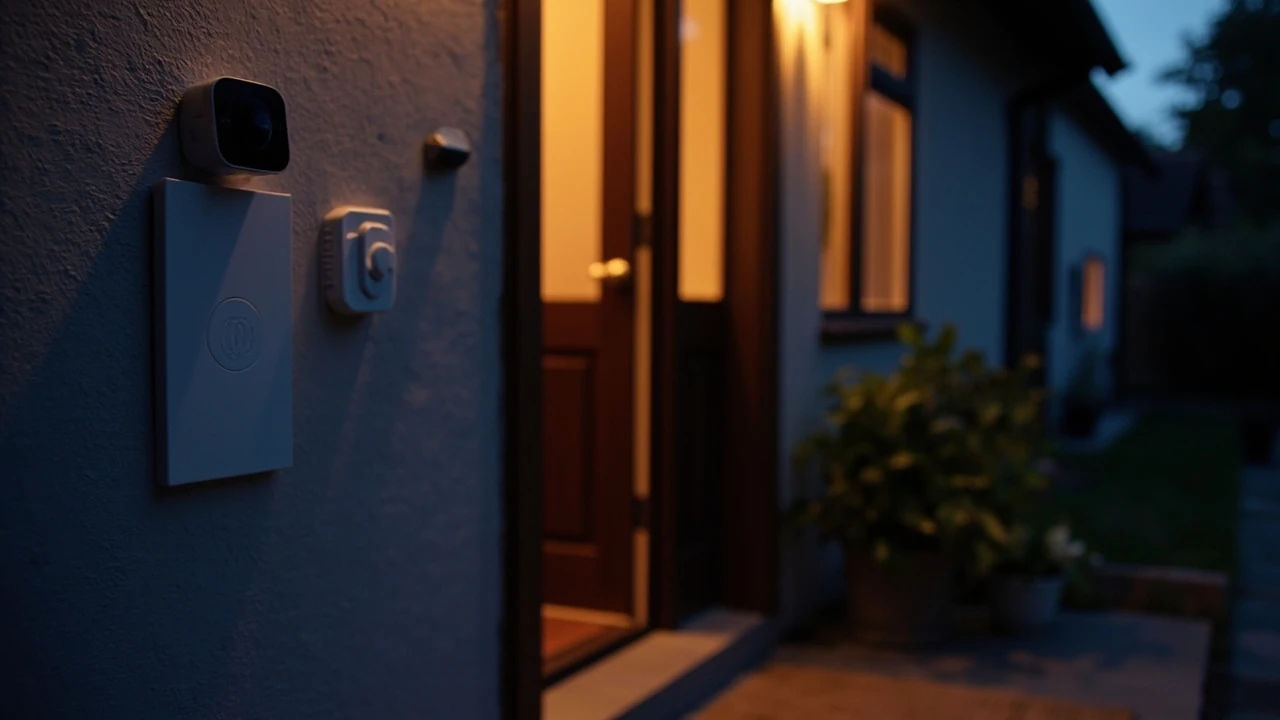
Security system for home: what really matters before you buy
A neighbor calls at 7:14 a.m. because your garage door was open all night. The dog is calm, nothing is missing, and you spend the rest of the day wondering whether the latch failed or whether someone tested your routine. That is the moment most homeowners start thinking about a real security system for home use, not a single camera or a smart lock purchased in isolation.
A reliable home security setup is a small system of components that work together: entry sensors, motion detection, an alarm, cameras where they help, and a way to respond when something is wrong. The goal is to reduce the chance of a successful break-in, shorten an incident when it happens, and give you clear evidence and routines you can trust. This guide walks through how to plan a system, what each part does, how to compare monitored and self-monitored options, and how to avoid the common mistakes that lead to false alarms and buyer regret.
How a typical home security system is put together
Before you compare brands and price tiers, it helps to understand the building blocks. Most residential systems share a similar architecture, even when they are marketed very differently.
- Control panel or hub: the brain that arms and disarms the system, talks to sensors, and connects to a phone app or monitoring center.
- Entry sensors: small two-part sensors on doors and windows that trigger when the connection between them is broken.
- Motion detectors: usually placed in main hallways or living areas to catch movement once someone is already inside.
- Glass break sensors: microphones tuned to the specific frequency of breaking glass, useful on large windows or sliding doors.
- High-decibel siren: an interior or exterior alarm designed to scare off intruders and alert neighbors.
- Cameras: video doorbells, outdoor cameras, and indoor cameras that record or stream when motion is detected.
- Keypads, key fobs, and mobile app: the ways you arm, disarm, and check the system day to day.
The exact combination depends on your floor plan, how many entry points you have, and whether you want professional monitoring. A small apartment can be well covered with a hub, two or three door sensors, a motion detector, and a single doorbell camera. A two-story house with a basement usually needs more sensors, a couple of exterior cameras, and a clearer plan for what happens when an alarm triggers.
Start with a walk-through, not a shopping cart
The single biggest mistake is buying devices first and planning later. A short walk-through of your home, done the way a burglar would think, gives you a much better shopping list than any product page.
- List every potential entry point. Front door, back door, garage entry door, sliding patio door, first-floor windows, basement windows, and any dog door large enough for a person to reach through.
- Identify hiding spots near entries. Tall shrubs next to the front door, a dark side yard, or a fence that blocks the view of the back door all increase risk.
- Mark sight lines from the street. Can a passerby see whether a light is on inside? Can a neighbor hear an alarm from the bedroom window?
- Note power and network availability. Some devices need an outlet, some need a strong Wi-Fi signal, and some need both.
With that list in hand, you can match devices to actual gaps. The point of a security system for home protection is to remove easy opportunities, not to scatter sensors randomly.
Monitored vs. self-monitored: the real trade-offs
Almost every modern system falls into one of two response models. The choice has more impact on your day-to-day experience than the brand of sensor.
| Feature | Professionally monitored | Self-monitored |
|---|---|---|
| Who responds to alarms | Trained operators at a monitoring center, who can dispatch police or fire after verification | You, your household, and the people on your contact list, via phone alerts |
| Typical monthly cost in 2026 | About 20 to 60 dollars, depending on contract length and features | Usually no monthly fee beyond optional cloud video storage |
| Equipment cost | Often lower up front when bundled with a service contract | Often higher up front because you buy devices outright |
| Reliability during internet outage | Many panels use cellular backup to reach the monitoring center | Dependent on your home internet and phone; may not deliver alerts if the network is down |
| Best fit for | Households that travel, second homes, anyone uncomfortable making a 911 call under stress | Renters, tech-comfortable owners, and homes where neighbors are home during the day |
The right answer is rarely “always monitored” or “always self-monitored.” Many homeowners run a hybrid: a small set of professional-monitored entry sensors covering the main doors, and self-monitored cameras and smart devices that they check from an app. That setup gets a fast human response at the most important points and keeps the budget under control for everything else.
What the FBI and industry data tell you about real risk
Home security decisions are easier when they are grounded in how break-ins actually happen. A widely cited summary of FBI data, summarized in the Wikipedia entry on home security, reports that 58.3 percent of burglaries in the United States involved forcible entry, that the average burglary takes between 90 seconds and 12 minutes, and that on average a burglar will break into a home within about 60 seconds. The same summary notes that roughly 17 percent of homes are equipped with a security system, that 83 percent of burglars look for evidence of an alarm, and that 60 percent say they will not break in if one is visible. The most commonly stolen items in residential burglaries are cash, jewelry, drugs, and electronics, in that order.
Those numbers shape priorities. The goal is not to build a fortress; it is to make your home clearly harder and riskier to enter than the one next door. Visible deterrents, fast alarm response, and basic routines close most of the gap.
Where to put cameras, and where not to
Cameras are the most visible part of a security system for home owners, and they are also the most over-bought. A camera on a side alley with no lighting and a flaky Wi-Fi signal will produce a folder of useless clips. A camera at the front door, paired with a porch light, will produce usable evidence almost every day.
- Front door: the single most important camera location, ideally a video doorbell so you also get a button and two-way audio.
- Back door and ground-level side doors: common secondary entries that benefit from a fixed outdoor camera or a motion-activated light with a camera.
- Driveway or garage: useful for package theft and as a record of vehicles coming and going.
- Main hallway or stairway: an indoor camera here can cover the path an intruder would have to take to reach bedrooms.
Skip cameras in private areas such as bedrooms and bathrooms, even if a vendor offers tiny models. Beyond privacy concerns, footage from those spaces is rarely useful and can create legal complications. If you have roommates, renters, or house guests, post a clear notice about where cameras are recording.
Smart home integration: helpful, but check the failure mode
Modern systems talk to smart locks, smart lights, voice assistants, and thermostats. That integration is genuinely useful, especially for routines such as locking the front door, arming the alarm, and turning off lights with a single command at bedtime. The trade-off is that every added integration is another device on your network and another point of failure.
A simple rule of thumb: keep core security functions, especially arming, disarming, and alarm triggering, on devices that work even if your smart home platform is down. A keypad that arms a traditional sensor panel is more reliable during an internet outage than a voice command routed through three cloud services.
Wired, wireless, or hybrid: matching the system to the house
Wired systems use physical runs of low-voltage cable between sensors and a central panel. Wireless systems run on batteries and use radio frequencies to talk to the hub. Hybrid panels support both. Each approach has a place.
| Approach | Pros | Cons | Best for |
|---|---|---|---|
| Wired | Very reliable, no batteries to swap, hard to defeat with a radio jammer | Higher installation cost, walls may need to be opened, harder to retrofit in a finished home | New builds, major remodels, homeowners comfortable with low-voltage cabling |
| Wireless | Fast to install, easy to expand, low install cost | Batteries need replacement, signal can be affected by interference, devices can be removed by an intruder who finds them | Existing homes, apartments, and most retrofit projects |
| Hybrid | Mixes wired sensors for fixed points with wireless for the rest | More complex to plan and program | Larger homes, phased installations, and remodels that already opened some walls |
For most homeowners, a well-designed wireless or hybrid system is the right balance of cost, performance, and flexibility. The key is to use sensors from the same product family so they share a reliable radio protocol and a common battery type.
Planning your budget without buying things you do not need
It is easy to overspend on a security system for home use by adding devices that look impressive but solve problems you do not have. A simple framework keeps the budget honest.
- Set a target for one-time equipment cost. A reasonable starter range for a small home is roughly 300 to 800 dollars. Larger homes with more entry points will scale up from there.
- Decide whether you want professional monitoring, and for how long. Some homeowners pay for monitoring for a year and then switch to self-monitoring once they are confident in the system.
- Leave room for a video doorbell and at least one outdoor camera. These two devices deliver the most day-to-day value per dollar.
- Plan for ongoing costs. Batteries, optional cloud video plans, and any monitoring fee should be budgeted monthly, not as a surprise.
Resist the urge to buy a six-camera package on day one. Start with the entry points, add one or two cameras, and live with the system for a few weeks. The list of “I really wish I had…” items will be much shorter and more accurate than the list on the product page.
False alarms, permits, and the boring stuff that actually matters
False alarms are the most common reason homeowners disable their own systems. A good plan reduces them from the start.
- Use pet-immune motion detectors if you have cats or small dogs, and place them where a pet cannot get within a few feet of the sensor.
- Set entry delays that give you enough time to disarm without being so long that an intruder can also reach the keypad.
- Label every sensor clearly in the app, so a “back door” alert actually means the back door and not a misnamed window.
- Check your local jurisdiction’s alarm permit rules. Many cities charge a small fee for monitored alarm registration and may fine repeat false dispatches.
A permit is not glamorous, but it is the kind of detail that separates a working system from a frustrating one. Most permits are inexpensive, and some include a one-time warning before fines start.
Cybersecurity: a security system for home that is not secure is a problem
Any device on your network is a possible entry point. A few habits cover most of the risk.
- Put cameras, hubs, and smart devices on a separate Wi-Fi network from your computers and phones, if your router supports guest or VLAN networks.
- Use a unique, strong password for the security app and turn on two-factor authentication if it is offered.
- Keep firmware updated on the hub, cameras, and routers. Most updates patch real vulnerabilities, not just add features.
- Buy from vendors that publish clear security disclosures and that have a track record of responding to reported issues.
You do not need to be a security researcher. A reasonable router, a separate network for smart devices, and current firmware take you past most casual attacks on residential equipment.
Day-to-day routines that make the system work
Hardware only matters as much as the habits that go with it. A few routines take less than a minute each and significantly raise the value of a security system for home use.
- Arm the system every time you leave, even for short trips. A large share of burglaries happen during the day when the house is briefly empty.
- Lock the door from the inside with the alarm on, rather than using a window or garage entry out of habit.
- Use a unique entry delay for the garage door if it is the most common entry you use, so you do not train yourself to ignore beeping.
- Review alerts weekly. A two-minute review once a week catches mislabeled sensors, dead batteries, and cameras that have quietly gone offline.
What to check during the first 30 days
The first month is when small problems show up. A short checklist makes the early period productive instead of frustrating.
- Test every sensor by opening the door or window it is attached to and confirming the expected alert.
- Trigger the siren from the app and listen from outside the house to gauge how loud and how far it carries.
- Walk through the arming and disarming sequence with every member of the household, including kids old enough to use the keypad.
- Check camera live views from a phone on cellular data, not just home Wi-Fi, to confirm you can reach them remotely.
- Replace any battery that reports below about 30 percent within the first month, since early dropouts often signal a sensor that is not seating correctly.
When to call a professional instead of going fully DIY
DIY is fine for most apartments, condos, and small homes. There are cases where a professional installer pays for itself.
- Large or multi-story homes where signal range and sensor placement get complex.
- Homes with detached structures such as a garage, workshop, or guest house that need a separate hub or repeater.
- Properties that want a hardwired system integrated during a remodel, with cabling run inside the walls.
- Homeowners who want a single point of contact for warranty, service, and monitoring rather than managing several vendor relationships.
If you are already planning a larger remodeling project, it is worth asking the contractor to run low-voltage cabling for doors, windows, and a few camera locations, even if you install the actual devices later. That small step during a renovation saves a lot of drilling and patching later. A related overview of planning a remodel around these kinds of upgrades is covered in this guide to hiring the right home remodeling team.
Common buying mistakes to avoid
Most regrets fall into a small number of patterns. Watching for them ahead of time saves money.
- Buying cameras before sensors. Entry sensors deter break-ins; cameras mostly record them.
- Skipping the siren. A loud interior siren is one of the simplest and most effective deterrents available.
- Choosing a system that locks you into a long contract before you have lived with it for at least a season.
- Ignoring pets during planning, which almost always leads to motion-detector false alarms that erode trust in the whole system.
- Mounting outdoor cameras too high. A camera that only sees the tops of heads and hats is far less useful than one mounted at about seven to nine feet that captures faces.
Another small but common mistake is forgetting about lighting. A good porch light, a motion-activated flood, or a path light at the side gate is often a better investment than a second camera in the same spot. If you are weighing lighting, sensors, and cameras together, this primer on what actually matters in a home security setup walks through the same trade-offs in more detail.
Putting together a realistic starter package
If you are starting from scratch and want a single, sensible configuration, a modest starter setup for a small home might look like the list below. Adjust the counts to your floor plan.
| Component | Suggested starter quantity | Why it is in the package |
|---|---|---|
| Hub or control panel | 1 | Central point for arming, alerts, and any future expansion |
| Door and window sensors | 4 to 8 | Covers main entry points, including the garage entry door if relevant |
| Motion detector | 1 to 2 | Catches movement in main hallways once entry sensors have triggered |
| High-decibel siren | 1 interior, optional 1 exterior | Alerts occupants and neighbors; scares off intruders |
| Video doorbell | 1 | Front door visibility, two-way audio, package monitoring |
| Outdoor camera | 1 to 2 | Back door, driveway, or side gate coverage |
| Glass break sensor | 1 to 2 | Useful for large windows or sliding glass doors |
This is a starting point, not a fixed recipe. A small one-bedroom home can do with fewer sensors, and a large two-story house with a basement will need more, but the proportions hold up well across most residential floor plans.
Frequently asked questions
How much should I expect to spend on a security system for home use in 2026?
A reasonable starter package of hub, entry sensors, a motion detector, a siren, and a video doorbell typically lands between 300 and 800 dollars for equipment, with optional professional monitoring adding roughly 20 to 60 dollars per month. Larger homes or systems that include several outdoor cameras will sit higher.
Do I really need professional monitoring?
Not always. If you and other household members are comfortable responding to alerts, can verify events on cameras, and are willing to call emergency services when needed, self-monitoring works well. Professional monitoring adds the most value for people who travel frequently, own second homes, or simply do not want to be the one making decisions at 2 a.m.
Are wireless security systems reliable enough?
For most homes, yes. Modern wireless sensors run on low-power radio protocols with battery life measured in years, and a well-placed hub or repeater covers a typical house. The main failure modes are dead batteries and weak signal to a far corner of the house, both of which are easy to plan around.
Where should I place motion detectors?
The most useful spot is a main hallway or living area that an intruder would have to cross to reach bedrooms. Avoid pointing motion detectors at windows with strong direct sunlight, near heating vents, or in rooms where pets roam at floor level. Pet-immune models help in homes with cats and small dogs.
How loud should an alarm siren be?
Interior sirens are commonly rated between 85 and 110 decibels. That is loud enough to startle an intruder and to be heard clearly through most of a house. Exterior sirens are typically 100 to 115 decibels and are mainly useful for alerting neighbors. Local noise ordinances may limit how long an exterior siren can sound.
Will a security system lower my homeowners insurance?
Many insurers offer a small discount, often in the range of 5 to 15 percent, for a monitored alarm system. The exact discount depends on the insurer, the type of system, and whether it includes smoke and carbon monoxide detection. Ask your insurance agent for the specific discount and any documentation they need.
Can I install a security system in a rental?
Yes, and wireless systems are usually the best fit because they do not require drilling into walls or running cables. Stick with components that can be removed without damage, and check your lease for any clauses about exterior cameras or smart locks on entry doors. If you travel between rentals, a portable kit with a hub and a few sensors moves with you.
How do I reduce false alarms?
Use pet-immune motion sensors, set sensible entry delays, label each sensor clearly in the app, and make sure every household member knows the disarm code. Review the alert log once a week for the first month to catch patterns, such as a window sensor that triggers every time the bus goes by.
Do I need a permit for a home security system?
Many cities and counties require a small alarm permit for systems that can contact emergency services, especially monitored ones. Fees are typically modest, and permits usually include a warning period before any false-alarm fines apply. Your monitoring provider or installer can often tell you what your local rules are.
How long do wireless sensor batteries last?
Most modern door, window, and motion sensors run on standard coin-cell or AA batteries with a life of roughly two to five years, depending on traffic and temperature. The system app or panel usually warns you well before a battery dies, so a sudden failure is rare if alerts are checked.
Leave a Reply